Providing a bettertyping experience.

The Keyzen menu-bar panel open under its status icon: shortcut cards for Quick Translate, Screenshot, Shortcut Guide, Screen Recording, Clipboard and Notes, each with its trigger.
  • Region captureAnnotate, pin, OCR
  • Screen recordingRegion, window or display
  • Quick translateOn-device
  • Clipboard historyText, images and files
  • App launcherToggle any app
  • Key soundsSeven switch packs
  • Flow and focusDrop into zen mode
  • ToolsKeyboard cleaning and test
Shortcuts

Press, select, copied.

Lighter and more fun than the native Mac screenshot.

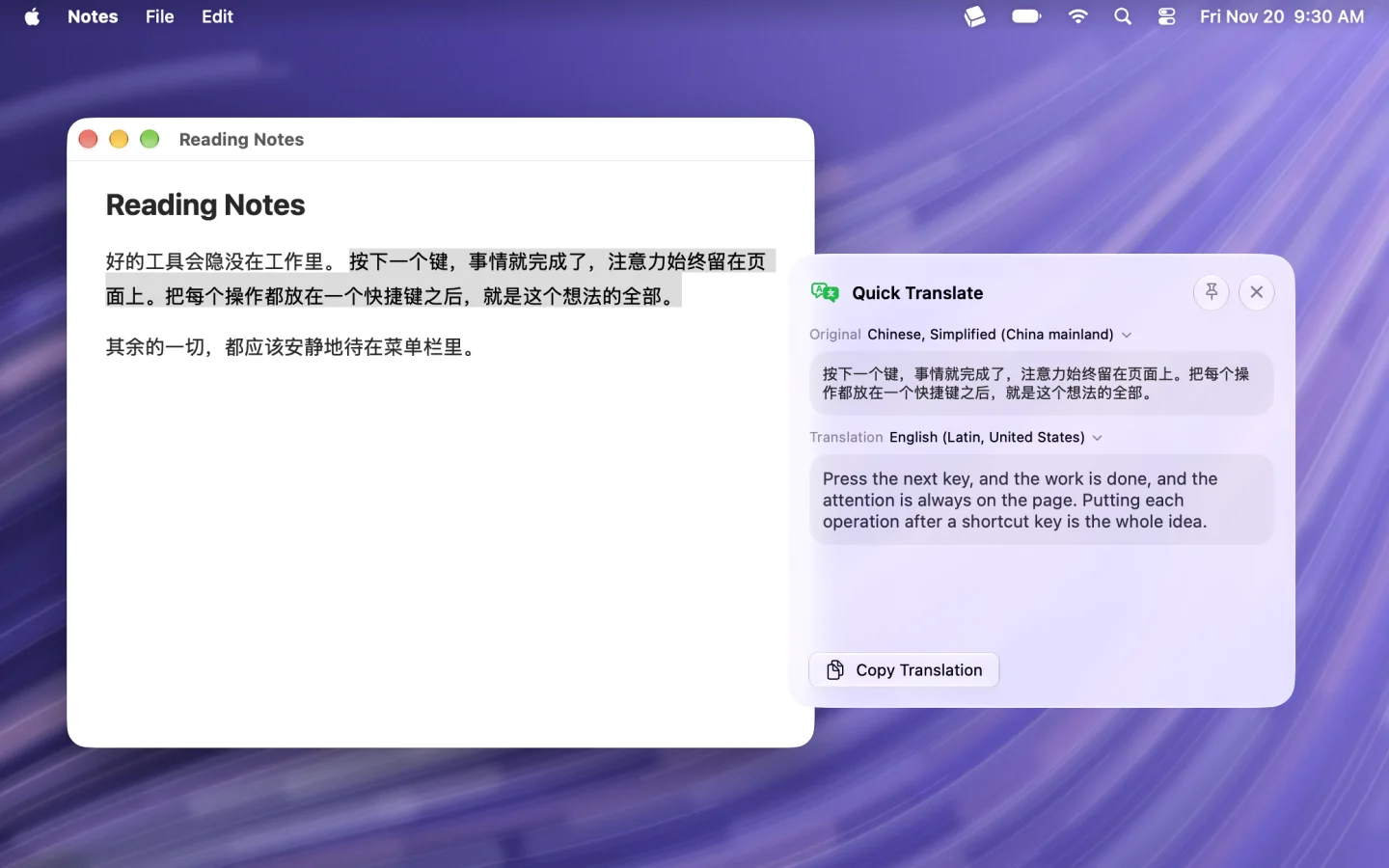
A paragraph selected in a notes window with the Quick Translate panel beside it: the Chinese original above, its English translation below, and Copy Translation.
Shortcuts

A little dictionary at your fingertips.

Select text in any app and press your shortcut. The translation appears right beside it, made on your Mac by the system’s own engine.
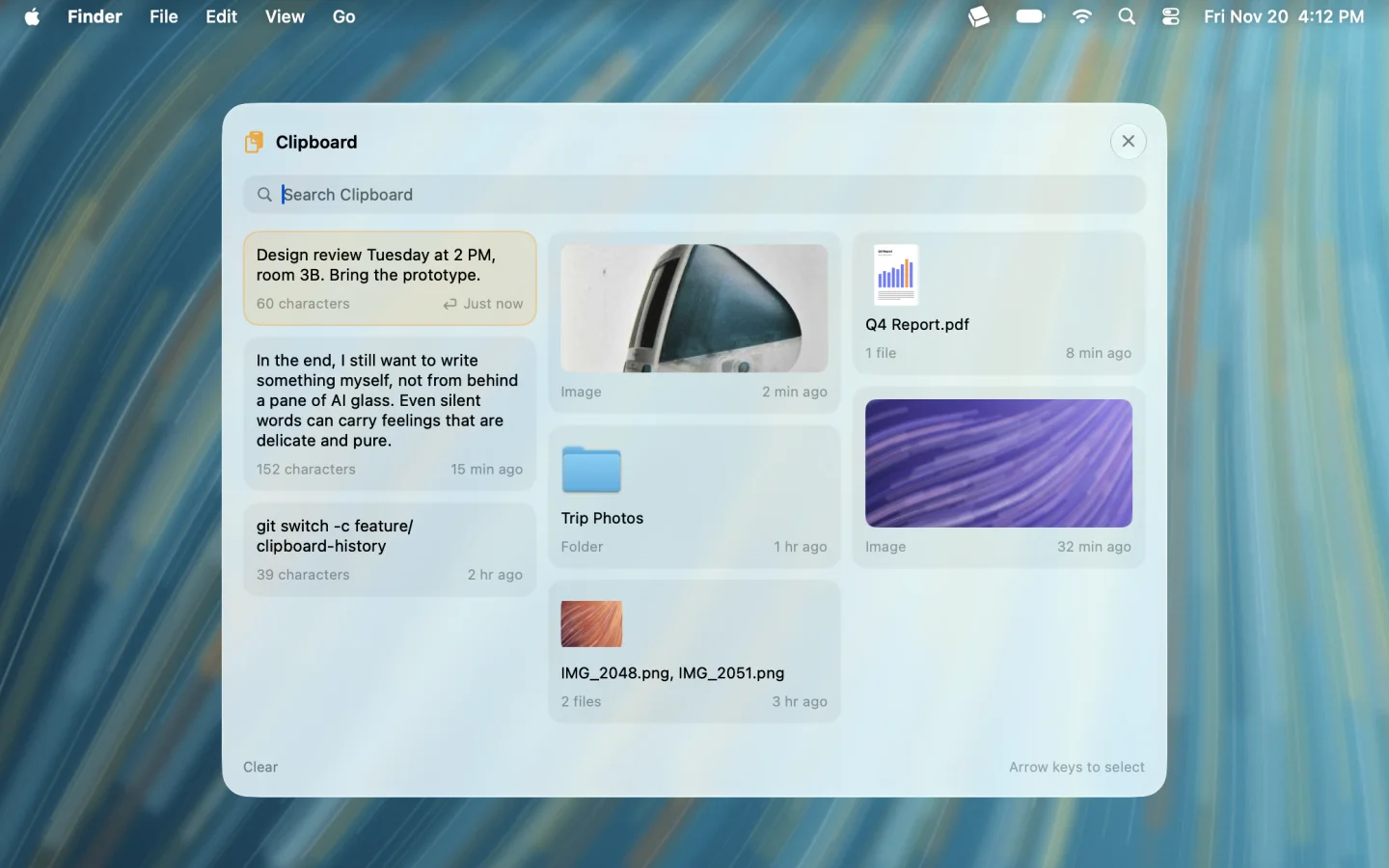
The Clipboard panel as a three-column board: a meeting note, a photo, a PDF report, a paragraph, a wallpaper image, a folder, a command and two photos, each card showing its size and age. The newest card is selected.
Shortcuts

Everything you copied.

Want to find something you copied recently? Just bring up the clipboard. Records are kept locally for a limited time to protect your privacy.

Flow

Every keystroke is a new experience.

Mahjong tiles, footsteps in snow, raindrops… even a retro typewriter. You won’t be able to put it down. Oh, and there are plenty of white noises to keep you immersed in writing.
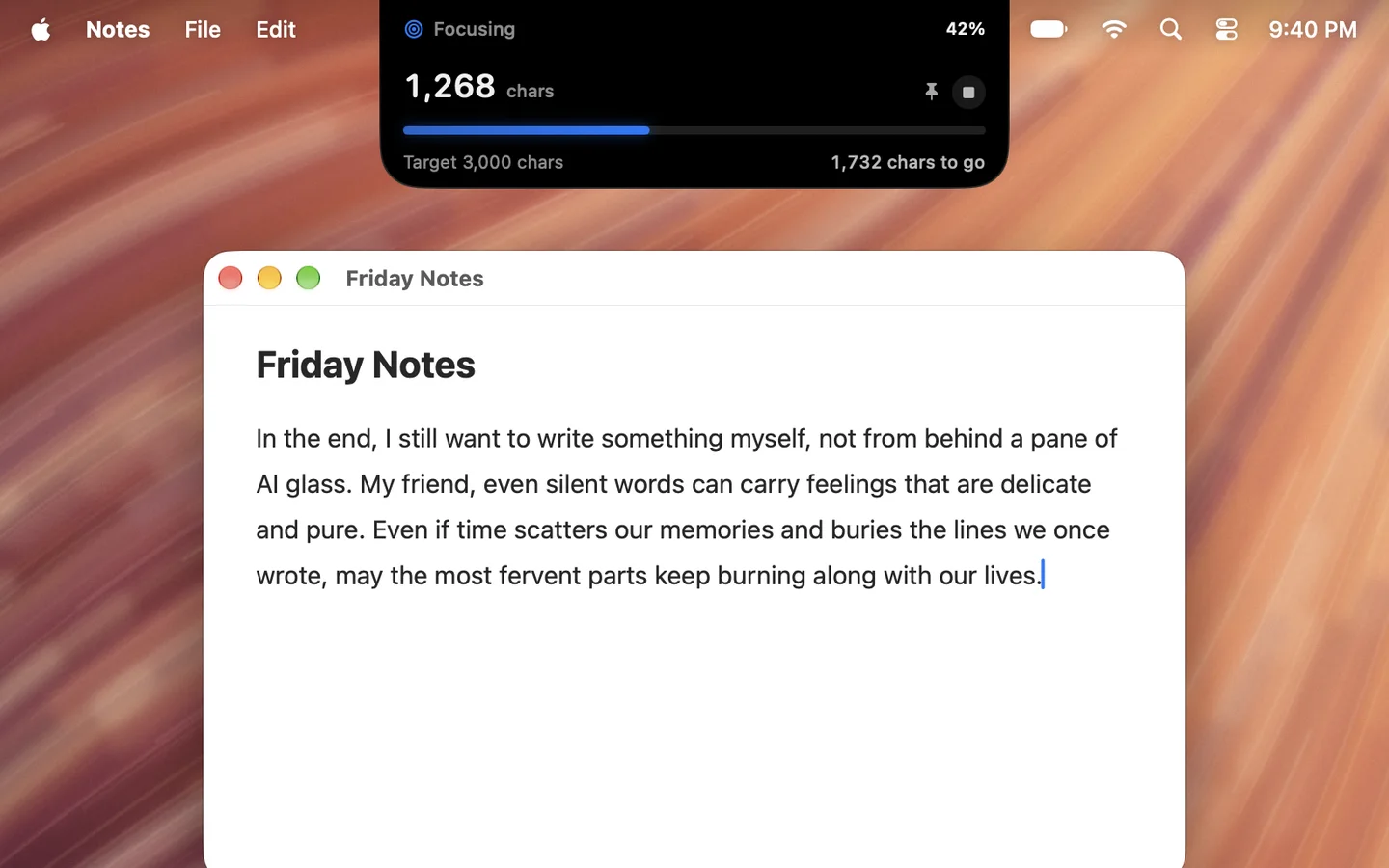
The Keyzen goal island under the MacBook notch shows 1,268 of 3,000 characters above a writing window.
Flow

Your goal, in the notch.

Set your goal and check your progress at a glance. Keyzen gives your Mac its own Dynamic Island.
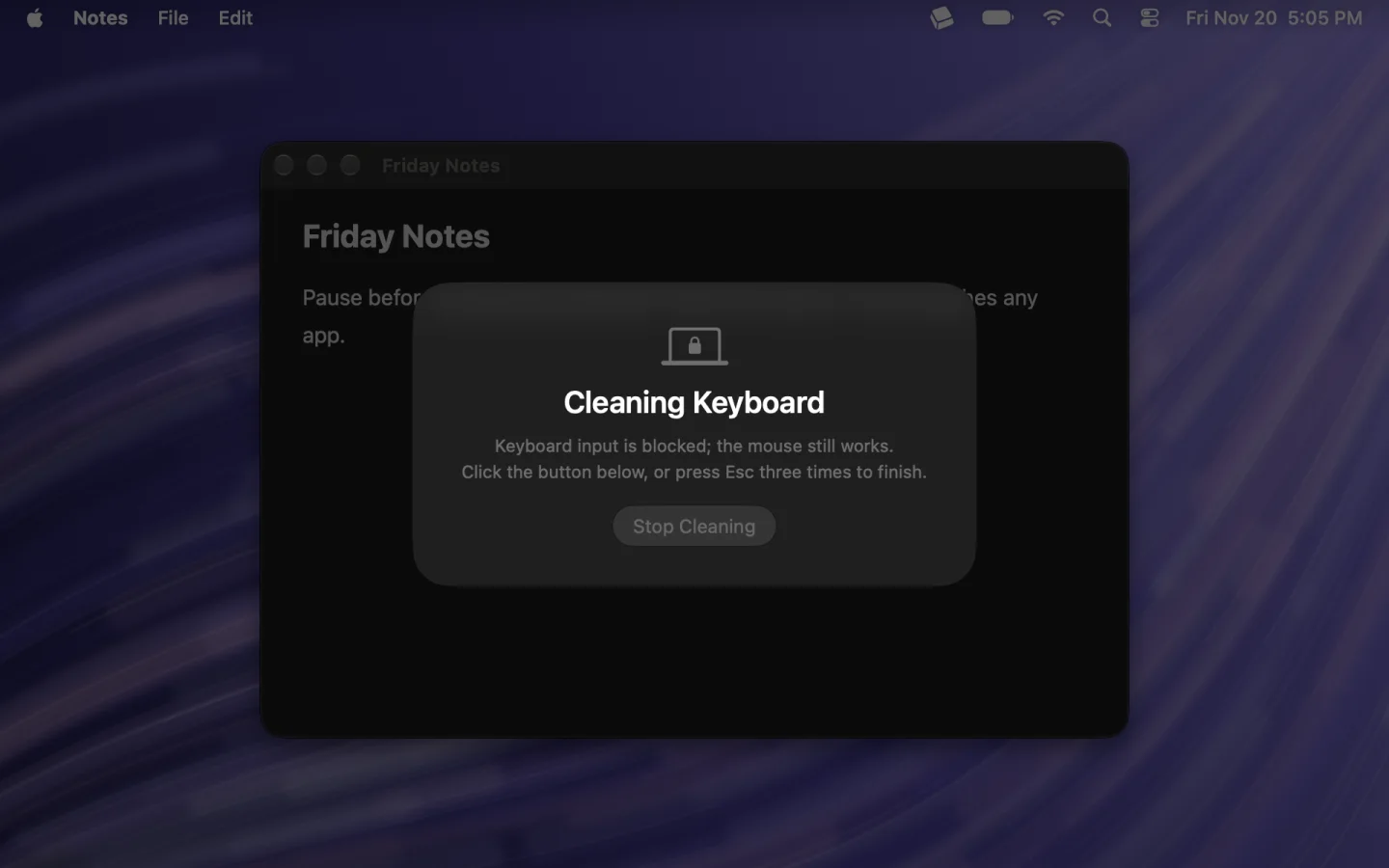
The Keyboard Cleaning card over a dimmed notes window: keyboard input is blocked, the mouse still works.
More

A trick for cleaning your keyboard without stray keystrokes.

Keyboard Cleaning blocks every key, so a cloth touching the keyboard won’t disturb your desktop.

Get Keyzen

Download for macOS

Built with the Liquid Glass UI. macOS 26+ required to download.

Keyzen needs macOS 26